

rubik (NotImplementedLife) (2021)
Genres: SimulationPuzzle
Tags:
RetroGame Boyrubik
Description
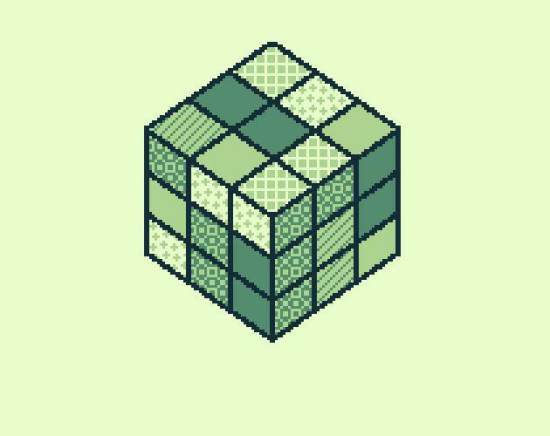
Rubik is a Gameboy title developed in 2021 under the name NotImplementedLife, offering players an interactive digital version of the classic cube puzzle. The game allows players to manipulate the cube’s layers using a straightforward control scheme, focusing on recreating the experience of solving a Rubik's Cube within a portable gaming environment.
Controls and Gameplay
To rotate the top layer of the cube, players use the D-Pad Left and Right buttons. This top layer is the only one directly accessible at any given moment. To interact with other layers, they must first be moved to the top position by rotating the cube. This rotation process is controlled by pressing the Select button. Upon pressing Select, circular arrows appear, indicating the axis along which the cube can be rotated. Pressing Select again cycles through additional sets of circular arrows, allowing complete orientation control. Players use Left/Right buttons to rotate the cube around the chosen axis. Once the rotation is complete, pressing B hides the circular arrows, enabling top-layer manipulation to resume.
Pause Menu Features
The game includes a pause menu accessible by pressing the Start button. Within this menu, players can:
- Reset the cube to its initial configuration.
- Return to the title screen.
Currently, there is no in-game reward for successfully solving the cube, and players do not receive a confirmation message such as “Well done!”. The developer has indicated that such feedback may be introduced in future updates.
Game Modes
Rubik offers two distinct gameplay modes:
- Normal Mode: The cube is shuffled by the program, and the player’s objective is to solve it.
- Freestyle Mode: The game starts with a solved cube, allowing players to experiment with techniques and explore various solving strategies on their own.
Testing and Reliability
Game mechanics require thorough testing to ensure accuracy and functionality, particularly for detecting and correcting errors in color mapping when the cube is rotated. It is recommended that players with some prior experience solving Rubik's Cubes participate in testing to verify the game's precision. The developer has noted personal limitations with puzzles and strategy games, emphasizing that assistance and feedback from experienced players would be valuable for further refinement.
Additional Resources
Screenshots and further information about Rubik and other Gameboy projects by the developer can be found by visiting HomebrewOwl.GB. This site hosts a collection of homebrew games and additional materials related to the development of portable gaming projects.