

Actual Multiple Monitors (2014)
Tags:
Utilities
| PC |
Released: 2014-12-16Requirements
|
Description
Actual Multiple Monitors is a software solution designed to enhance the functionality and efficiency of systems using more than one display. By addressing limitations in the standard Windows interface, it provides users with a wide range of tools to improve multitasking, productivity, and overall desktop management across multiple monitors.
Multi-Monitor Taskbar
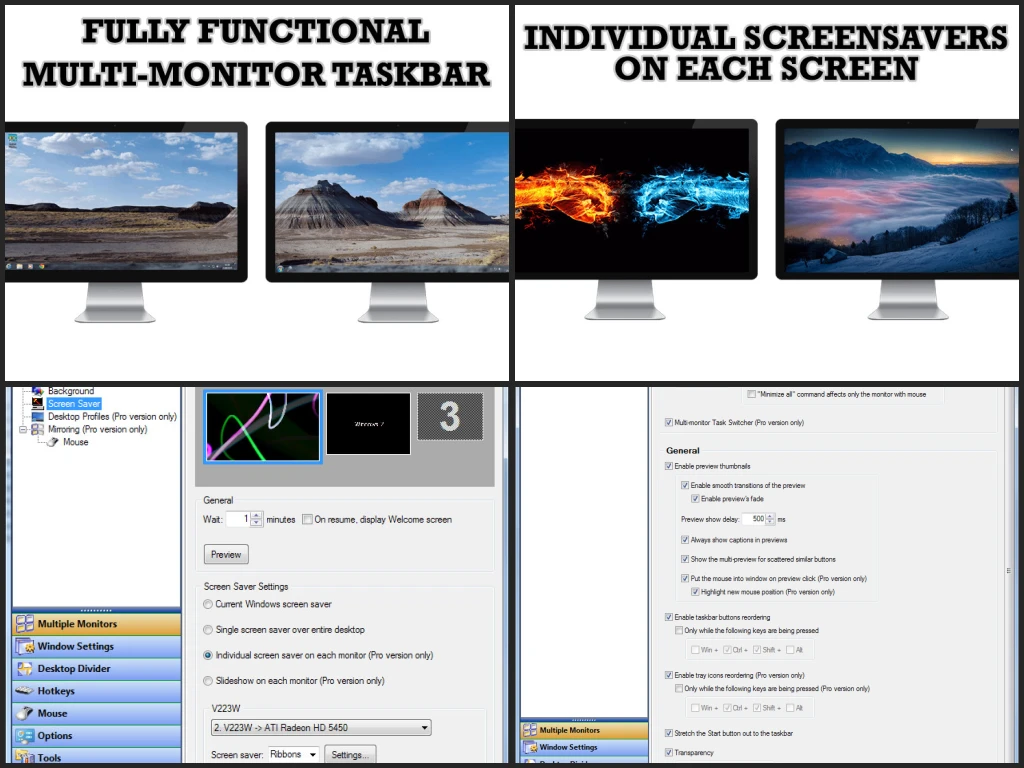
With Actual Multiple Monitors, users no longer need to navigate to the primary screen to access the taskbar. The software creates a fully operational taskbar on each connected display, giving access to essential Windows features regardless of which monitor is in use. Key features available on all taskbars include:
- Start button and various toolbars
- Aero Peek and Jump Lists
- Notification area (system tray), clock, and Show Desktop button
- Custom taskbar groups
- Recycle bin integration
- Other standard Windows 7 and 8 taskbar functionalities
Multi-Monitor Gaming Enhancements
Actual Multiple Monitors offers specific features aimed at improving the gaming experience on multi-display setups:
- Ignore Deactivation: Prevents games from being minimized, allowing gameplay on one monitor while using other displays for streaming, browsing, or watching videos.
- Lock Mouse: Restricts the mouse pointer to a chosen window or monitor, ensuring it does not exit the game accidentally.
Multi-Monitor Wallpaper Options
The software provides versatile desktop background customization across multiple monitors:
- Single image stretched across all monitors
- Individual wallpapers for each display
- Separate slideshows on different monitors
- Web-based slideshows from Google Image Search or Flickr
- Flexible positioning: center, tile, stretch, proportional stretch, or crop to fit
Additional Title Bar Buttons
New title bar buttons simplify window management, allowing users to:
- Move windows between monitors instantly
- Expand a window across the entire combined desktop
- Access other advanced window management functions with a single click
Custom Hotkeys
Actual Multiple Monitors supports hotkeys for most of its features. Users can create personalized key combinations for activating functions quickly and can add custom hotkeys for specific window operations.
Desktop Divider
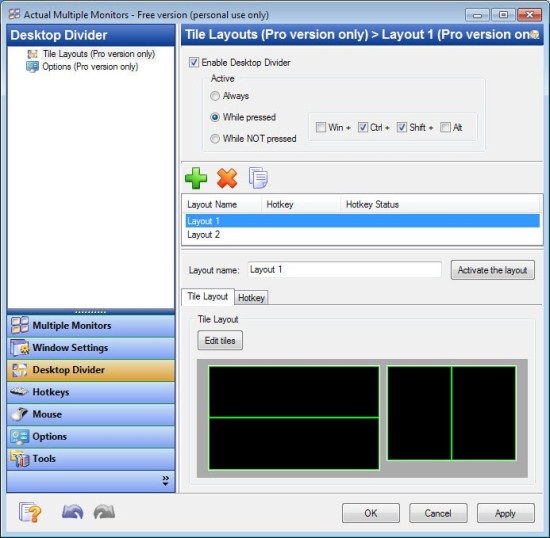
The Desktop Divider feature allows users to segment a large desktop or individual monitors into multiple non-overlapping tiles. Windows placed in these tiles will resize to fit the tile borders automatically. Custom tile layouts can be created and switched as needed for efficient workspace organization.
Window Snapping
The software enhances manual window arrangement by enabling precise snapping to:
- Desktop or monitor boundaries
- Other open windows
- Custom virtual grids with defined cell sizes
Additionally, it offers Windows 10 Snap Assist functionality and an improved version of the Windows 7 Aero Snap, including snapping to edges between multiple monitors.
Multi-Monitor Screen Saver
Users can stretch any screen saver across the full desktop or assign individual screen savers to each monitor, even if the screensavers do not natively support multi-monitor setups.
Desktop Mirroring
This feature allows users to observe a specific window, monitor, or portion of the desktop on another monitor. It is useful for cloning primary displays, monitoring content remotely, or sharing selective content during presentations.
Software Overview
Actual Multiple Monitors fills gaps in Windows multi-monitor management by providing taskbars, Start menu access, system tray controls, and a task switcher on all displays. The software allows rapid window allocation between monitors, enhances the visual experience with wallpapers and screen savers, and supports unlimited desktop profiles for customized setups.
Special Gaming Features
- Ignore Deactivation: Maintains active gameplay on one monitor while using other displays for other tasks.
- Lock Mouse: Keeps the pointer confined to a specific window or monitor during gaming sessions.
Licensing and Trial
Actual Multiple Monitors offers a lifetime license that includes all updates without additional cost. A fully functional 30-day trial is also available for download from the official website, allowing users to explore all features before purchase.
Our Verdict
Actual Multiple Monitors is a solid tool for anyone who uses more than one screen. It makes managing windows, taskbars, and wallpapers across multiple monitors simple and smooth. Gamers and multitaskers will especially appreciate features like locking the mouse and preventing games from minimizing.
The software adds real value without being complicated. Hotkeys, desktop dividers, and mirroring give you full control of your workspace. Setup is straightforward, and the lifetime license means no extra costs for updates.
We recommend Actual Multiple Monitors if you want a more efficient and enjoyable multi-monitor experience. It’s practical, reliable, and makes your desktop work exactly the way you need.