

Bigscreen Beta (2016)
Genres: Simulation
Tags:
SingleplayerMultiplayerOnline multiplayerCross-Platform MultiplayerVRUtilities
| PC |
Released: 2016-04-28Requirements
|
Description
Overview
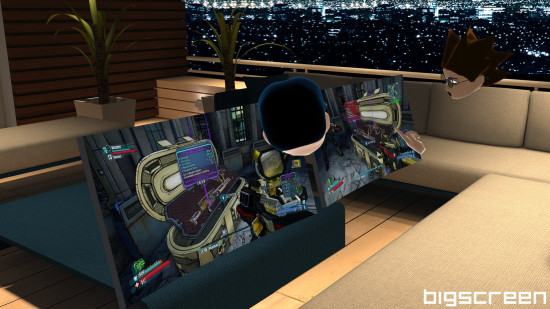
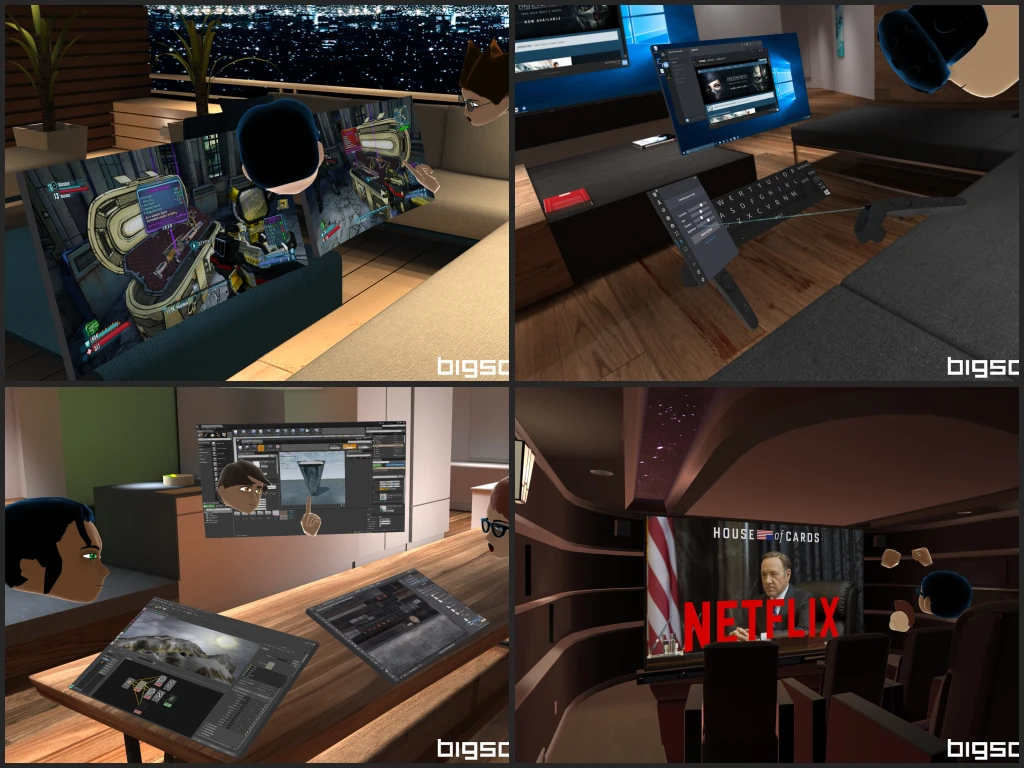
Bigscreen Beta is an innovative virtual reality application designed to transform the way you use your computer in a VR environment. It provides users with the ability to access their desktop on expansive virtual screens while interacting with other users in shared virtual spaces. This application supports a variety of activities including gaming, watching movies, streaming content, drawing, listening to music, and socializing in immersive virtual worlds.
Main Features
Virtual Gaming and Streaming
Users can play their preferred PC, Xbox One, or PS4 games on oversized virtual screens. The Cinema Update introduces flawless 1080p desktop streaming at 30 frames per second, allowing seamless gameplay and movie viewing in VR. Native desktop audio streaming ensures high-quality sound for an immersive experience. Bigscreen Beta supports experimental Windows 7 and Nvidia Optimus configurations.
Media Viewing
The application enables watching movies, TV shows, YouTube videos, anime, and Twitch streams. Essentially, anything accessible on your PC can be viewed in a VR environment. Users can enjoy both 2D and 3D content with support for 3D SBS (Side-by-Side) and OU formats.
Creative Interaction
Bigscreen Beta includes 3D drawing tools, allowing users to sketch, doodle, and create notes using 3D markers. These tools can be used for entertainment, collaborative whiteboarding, or creative expression in virtual spaces.
Customization
Virtual screens are fully customizable in position, size, and curvature to suit individual preferences. Users can arrange their VR desktop to match real-world workflows or create entirely new layouts optimized for VR interaction.
Social VR and Multiplayer
The application allows users to meet in virtual worlds, such as luxury houses, campfires, theaters, and outer space environments. Multiplayer rooms support up to four participants for shared experiences. Public and private rooms enable social interactions, collaborative gaming sessions, and shared media viewing.
Cross-Platform Support
Bigscreen Beta is compatible with Oculus Rift and HTC Vive headsets, providing cross-platform VR experiences. Positional voice chat allows realistic audio communication with friends, simulating real-life conversations in virtual spaces.
Desktop Sharing and Collaboration
Users can share their computer screens with friends, enabling joint activities such as movie watching, virtual LAN parties, and collaborative projects. Desktop sharing includes both video and audio, ensuring a complete shared experience.
Controller and Input Options
The application supports multiple input devices including Leap Motion, Oculus Touch, Oculus Remote, and HTC Vive controllers. Users can manipulate screens, interact with tablet interfaces, draw in 3D, and perform gestures to communicate or interact with virtual objects.
Multiple Monitor Support
Bigscreen Beta can accommodate up to three monitors, displaying either physical or virtual/emulated screens within the VR environment. This feature enhances multitasking and replicates multi-monitor setups for professional and entertainment use.
Upcoming Features
- Support for mobile VR headsets
- Larger multiplayer rooms for increased social interactions
- Expanded virtual worlds with additional environments
- Integration of native applications such as advanced video players and browsers
- Ongoing updates with new features based on user feedback
Community and Support
Bigscreen Beta maintains active development and community engagement. Users can report bugs, suggest new features, and stay informed about updates through the official Discord community or via email. Regular updates ensure continuous improvements and enhancements to the VR experience.
Our Verdict
Bigscreen Beta is a unique VR app that turns your PC into a massive virtual screen. It works well for watching movies, playing games, and hanging out with friends in virtual spaces. The desktop streaming is smooth and clear, and the social VR features make it fun to connect with others.
The app can feel a bit experimental, especially on older systems, but the updates keep improving the experience. Customizing screens and using 3D tools is easy and enjoyable. If you have a VR headset and like virtual hangouts, Bigscreen is worth trying.
Overall, we recommend Bigscreen Beta. It’s not just another VR viewer—it’s a social hub and entertainment platform rolled into one. Great for gamers, movie lovers, and anyone curious about VR interactions.